
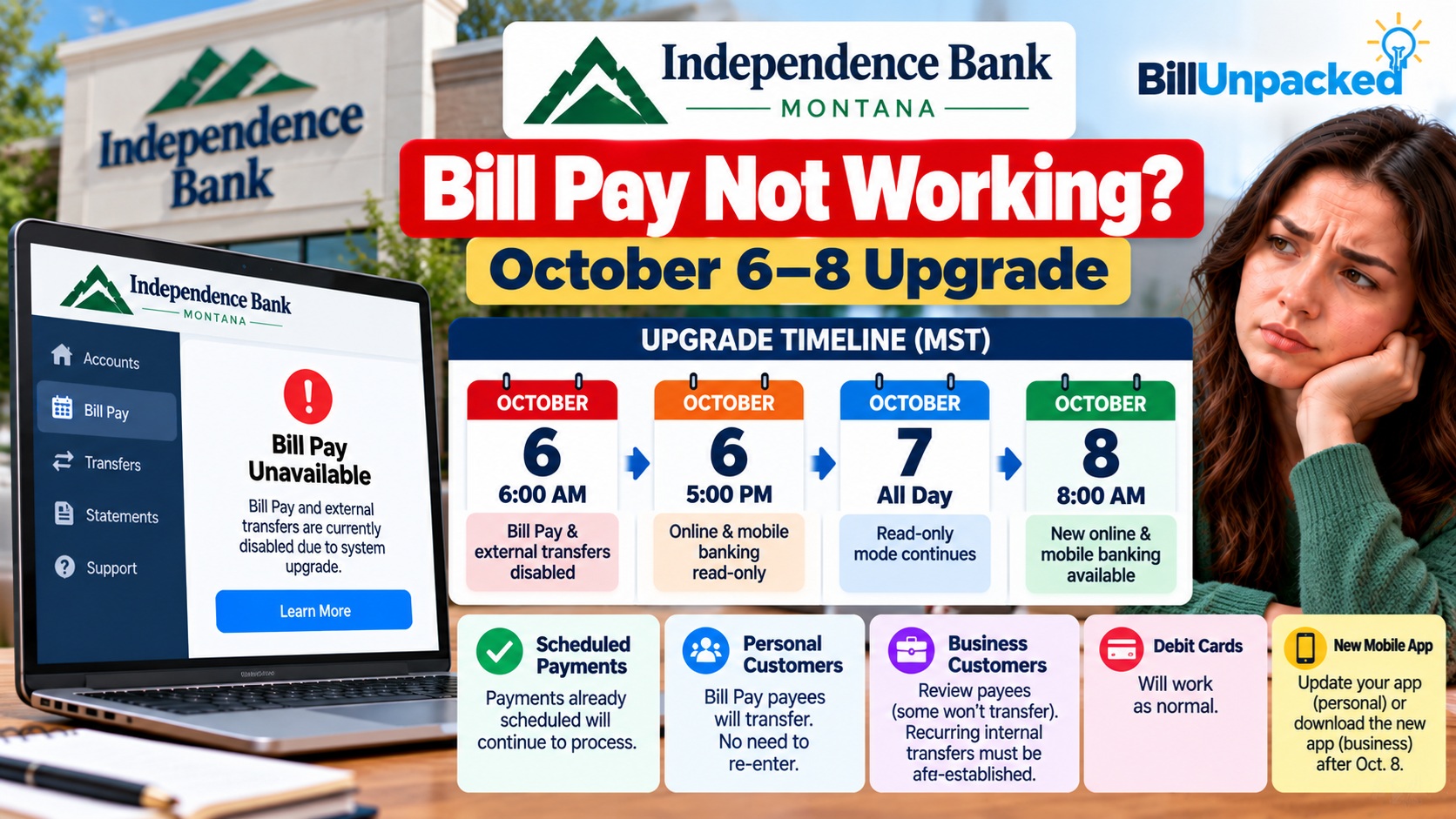
Independence Bank Bill Pay Not Working? October 6–8 Upgrade
If Independence Bank Bill Pay is not working beginning October 6, this matches a confirmed digital-banking migration at Independence Bank of Montana. Bill Pay and external transfers are scheduled to be disabled at 6:00 AM MST on October 6. The important part: Independence Bank says bill payments already scheduled before the conversion will continue to process. The new online and mobile banking platform is scheduled to become available at 8:00 AM MST on October 8.
Bill Pay disabled: Oct. 6 — 6:00 AM MST
Online/mobile read-only: Oct. 6 — 5:00 PM MST
Read-only continues: Oct. 7
Online/mobile fully disabled: Oct. 8 — 6:30 AM MST
New platform launches: Oct. 8 — 8:00 AM MST
Why Is Independence Bank Bill Pay Not Working?
Independence Bank of Montana is upgrading to a new digital-banking platform during the week of October 5, 2026.
As part of that conversion, the bank’s official migration timeline says Bill Pay will be disabled at 6:00 AM MST on Tuesday, October 6.
External transfers will also be disabled at the same time.
Will My Scheduled Bill Payments Still Go Through?
Yes, according to Independence Bank.
The bank specifically says that payments scheduled before the conversion will continue processing.
Independence Bank says scheduled bill payments will continue to process during the migration.
The same applies to external transfers scheduled before the conversion: the bank says those scheduled transfers will continue processing.
Independence Bank October 6–8 Upgrade Timeline
| Date & Time | Banking Status | What It Means |
|---|---|---|
| Oct. 6 — 6:00 AM MST | Bill Pay disabled | You cannot initiate new Bill Pay payments. Previously scheduled payments continue processing. |
| Oct. 6 — 6:00 AM MST | External transfers disabled | Previously scheduled external transfers continue processing. |
| Oct. 6 — 5:00 PM MST | Online/mobile becomes read-only | Personal customers can view accounts but cannot complete transactions. |
| Oct. 7 — All day | Read-only mode | Online and mobile banking remain inquiry/read-only. |
| Oct. 8 — 6:30 AM MST | Online/mobile disabled | Digital banking becomes completely unavailable for the final conversion. |
| Oct. 8 — 8:00 AM MST | New platform available | New online banking, mobile banking and IB Corp are scheduled to launch. |
Should I Schedule Bills Before October 6?
Yes, if you have bills that need to be initiated during the conversion window.
Independence Bank specifically recommends scheduling future external transfers and Bill Pay payments before October 6, 2026.
That is because customers will lose the ability to initiate new Bill Pay transactions once Bill Pay is disabled.
What Happens at 5 PM on October 6?
At 5:00 PM MST on October 6, Independence Bank says online and mobile banking move into Inquiry/Read ONLY Mode.
Personal customers will still be able to view their accounts, but they will not be able to complete transactions.
The bank’s IB Corp business banking service will also become unavailable.
What Happens on October 7?
Online and mobile banking remain in read-only mode for the entire day.
That means customers can view personal account information but cannot initiate normal online transactions through the existing platform.
IB Corp remains unavailable.
When Will Independence Bank Online Banking Return?
The final migration takes place on October 8.
At 6:30 AM MST, online and mobile banking are scheduled to become completely unavailable.
The new platform is then scheduled to launch at:
8:00 AM MST
At that point, Independence Bank says its new Online Banking, Mobile Banking and IB Corp platforms will become available.
Will My Bill Pay Payees Transfer?
Yes. Independence Bank says most account information will remain intact after the conversion, including:
- Transaction history
- Bill Pay payees
- Scheduled payments
- Internal transfers
- eStatement preferences
Even so, BillUnpacked recommends reviewing your payees and upcoming payments after the new system launches before creating replacement transactions.
What Will NOT Carry Over?
Independence Bank identifies several digital-banking settings that will not transfer to the new system.
| Feature | Transfers? | What to Do |
|---|---|---|
| Bill Pay payees | Yes | Review after conversion |
| Scheduled bill payments | Yes | Verify after conversion |
| Transaction history | Yes | No special action stated |
| eStatement preferences | Yes | Review after login |
| Alerts | No | Reconfigure after upgrade |
| Card controls | No | Set them up again |
| External transfers | No | Reconfigure after upgrade |
| Personal finance manager data | No | Save needed information before Oct. 6 |
Wait — Scheduled External Transfers Process, but External Transfers Don’t Carry Over?
Yes, and this distinction is important.
Independence Bank says external transfers that were scheduled before the conversion will continue to process.
However, the external-transfer setup itself is among the digital-banking information that will not carry over to the new platform.
Do I Need a New Independence Bank App?
Independence Bank says customers should open their existing app after the upgrade and follow the prompt to download the new version.
After installing it, customers should sign in using their current User ID and password.
What Should I Do Before October 6?
Schedule payments that need to process during the migration before Bill Pay is disabled.
Verify that your current phone number and email address are stored in online banking.
Do not rely only on Face ID, fingerprint login or another biometric method.
Review alerts, card controls, external-transfer information and personal finance manager data.
Independence Bank has additional migration requirements for business banking users.
What If My Bill Is Due October 6–8?
If you scheduled the payment before Bill Pay was disabled, Independence Bank says the scheduled payment will continue processing.
If you didn’t schedule it beforehand, check whether your biller offers another official payment channel.
Depending on the biller, alternatives may include:
- Official biller website
- Biller’s mobile application
- Official telephone payment system
- In-person payment
- Other payment methods offered directly by the biller
What About Business ACH and Wire Payments?
Business customers have additional conversion considerations.
Independence Bank says scheduled or recurring ACH/Wire payments dated October 6–8 will not be sent and will need to be set up once access to the new system becomes available October 8.
The bank also says business customers should save third-party customer information for unique ACH/Wire files before October 6 because the new system does not support the existing “Copy” feature.
Will Business Internal Transfer Templates Carry Over?
No.
Independence Bank says business internal transfer templates will not transfer to the new system.
Business ACH/Wire history and alerts also will not transfer.
Customers using these business features should save required information before October 6 and re-establish applicable templates after the upgrade.
What Changes After the Upgrade?
Independence Bank says the new platform will combine personal and business online banking into a more unified digital experience.
Features expected to continue include:
- Bill Pay
- External Transfers
- Mobile Deposit
- ACH Services
- Wire Transfers
- Merchant Capture
- Positive Pay
- Zelle
- Budget tools
The platform also introduces improved debit-card controls and a new mobile banking application.
Independence Bank Still Not Working After 8 AM October 8?
If you cannot access digital banking after the scheduled launch, don’t immediately assume there is another systemwide outage.
First check:
- Have you updated/downloaded the new mobile app?
- Are you entering your actual User ID and password?
- Are you trying to use an old biometric login?
- Have you checked Independence Bank’s upgrade page for a schedule change?
- Does the problem affect only Bill Pay or the entire account?
If those checks don’t solve the problem, contact Independence Bank.
How Do I Contact Independence Bank?
Phone: 800-823-2274
The bank says customers who do not know their username should contact support. Forgotten passwords can be reset using Password Help on the login page.
Watch for Upgrade-Themed Banking Scams
Independence Bank has included a specific security warning with its migration information.
The bank says it will never contact you and ask you to provide your login credentials.
Use the bank’s official website or known support number rather than following an unexpected login link.
Quick Answers
| Question | Answer |
|---|---|
| When is Independence Bank Bill Pay disabled? | 6:00 AM MST on October 6, 2026. |
| Will scheduled Bill Pay payments still process? | Yes. Independence Bank says payments scheduled before conversion will continue processing. |
| Will my Bill Pay payees transfer? | Yes. Independence Bank lists Bill Pay payees among information that remains intact. |
| When does online banking become read-only? | 5:00 PM MST October 6, continuing through October 7. |
| When does the new system launch? | 8:00 AM MST October 8. |
| Do external-transfer settings carry over? | No. They need to be reconfigured, although external transfers already scheduled before conversion continue processing. |
| Will alerts and card controls carry over? | No. Independence Bank says they must be reconfigured. |
| Do I need my password after the upgrade? | Yes. The first login requires your current User ID and password rather than relying on biometrics. |
Bottom Line
If Independence Bank Bill Pay is not working beginning October 6, it matches the bank’s confirmed digital-banking migration.
Bill Pay and external transfers are scheduled to be disabled at 6:00 AM MST October 6. Online/mobile banking becomes read-only at 5:00 PM and remains read-only October 7 before going fully offline briefly on October 8.
The replacement platform is scheduled to launch at 8:00 AM MST October 8, 2026.
Most importantly, Independence Bank says Bill Pay payments already scheduled before conversion will continue to process. Check those payments before submitting replacements so you don’t accidentally pay the same bill twice.
Official Sources
Independence Bank — IB Upgrades & Resource Center
Official October 6–8 migration timeline and Bill Pay information
Independence Bank — Online & Mobile Banking
Official digital banking and Bill Pay information
Last checked: October 5, 2026. BillUnpacked is not affiliated with Independence Bank. This article refers specifically to Independence Bank of Montana at IBYourBank.com. Migration schedules can change, so check the bank’s official Upgrade & Resource Center before making a time-sensitive payment.