
Bank3 Bill Pay Not Working? October 2026 Upgrade Fixes
This guide separates what Bank3 announced for its October 2026 conversion from the steps to take if you still cannot log in, see a payee, or confirm a payment. A payment not appearing in your account is not proof that it was canceled.
Is Bank3 Online Banking Still Down?
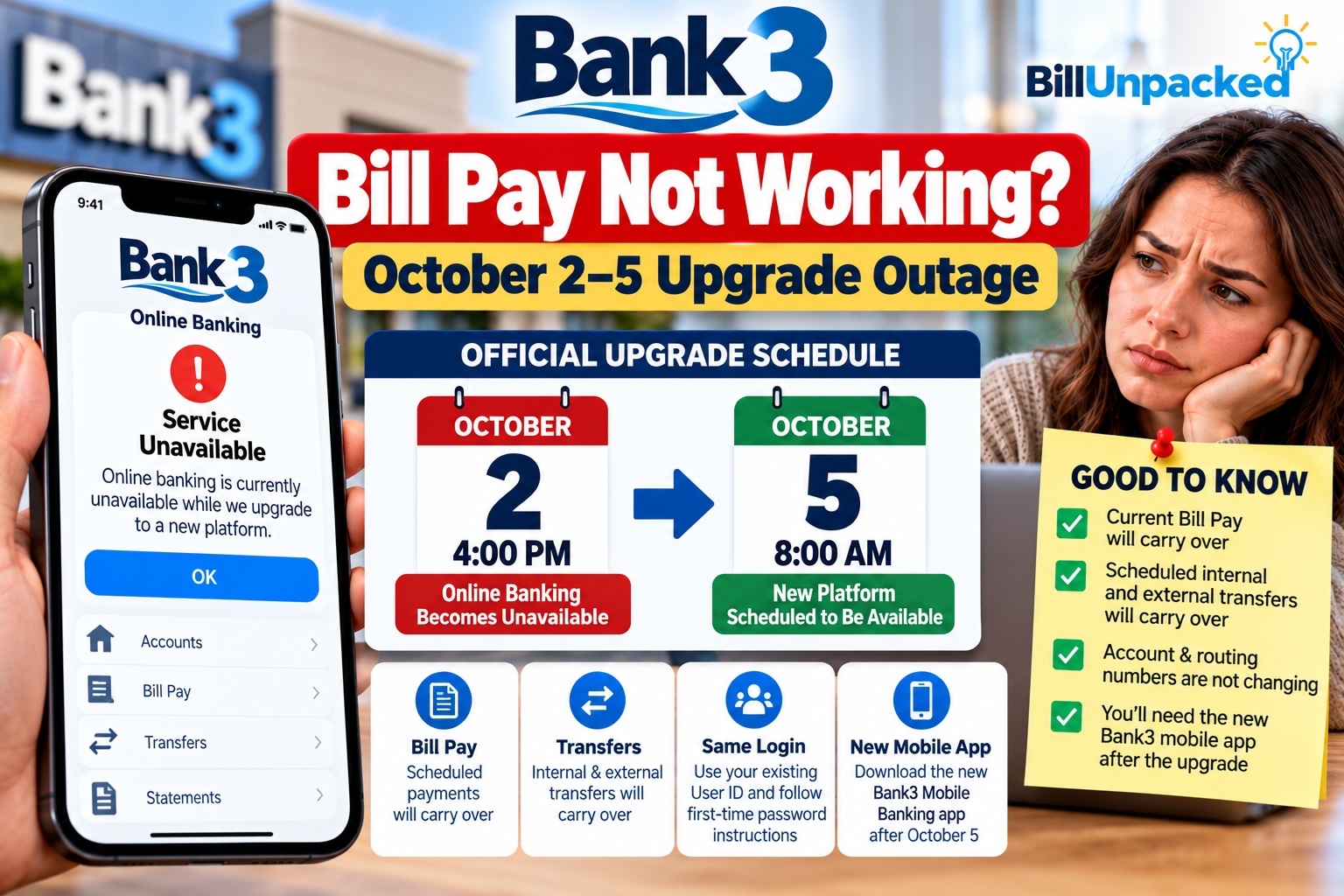
Bank3’s announced conversion window began Friday, October 2 at 4 p.m. and was scheduled to end Monday, October 5 at 8 a.m. These are historical maintenance times, not today’s outage times. Check Bank3’s homepage for its latest announcement.
What Carried Over — and What Needs Attention?
| Banking feature | Bank3’s published guidance | What you should do |
|---|---|---|
| Existing Bill Pay payees and scheduled payments | Bank3 says the existing Bill Pay schedule should transition. | Verify each payee, amount, delivery date and payment status before resubmitting. |
| Recurring transfers between Bank3 accounts or outside accounts | The October upgrade resource center says customers need to reestablish recurring transfers. | Review old schedules and rebuild only those that are missing after confirming they are not still active. |
| Direct deposits and automatic payments | Bank3’s B3CONNECT overview lists these as unchanged. | Check individual payment activity rather than assuming every transaction completed. |
| Personal and business logins | Bank3’s October resource center says separate logins are required. | Use the correct personal or business login. |
| Mobile banking | A new Bank3 Mobile Banking app is required after the conversion. | Install the official new app from a trusted app store link. |
| Quicken / QuickBooks connections | Bank3 documented a temporary Intuit connection blackout and reconnection steps. | Follow the specific Bank3 guide for your software; do not import duplicate transactions. |
Bank3 Bill Pay Not Working After the Upgrade: What to Try
1. Start with the official Bank3 login
Open bank3.com directly, rather than following a link in an email or text. Bank3 says the new platform is live. If an old bookmark sends you to the previous login, navigate from the homepage; Bank3 also recommends clearing your browser cache if the new login page does not appear.
2. Follow the new enrollment instructions
For personal banking, Bank3 says the existing User ID remains usable. Its official resource center explains the first-time authentication process. Follow those instructions on the bank’s website, not a third-party form. Business and personal accounts have different login requirements after the upgrade.
3. Use the replacement mobile app
If the old Bank3 app will not sign in, that may reflect the October platform change rather than an outage. Find the current Bank3 Mobile Banking app using Bank3’s official website and verify the publisher before installation.
4. Check whether Bill Pay itself is missing
Once logged in, locate the Bill Pay or Payments area. Compare the current payee list and scheduled-payment dates with your statements, confirmation emails, or earlier records. A missing payee, a rejected payment and a login failure require different fixes.
5. Check your payment before paying again
Look for the scheduled payment, debit in transaction history and biller’s posted payment. Payments may show different dates for scheduling, processing and delivery. If a bill is due soon and you cannot verify its status, contact Bank3 and the biller before making a second payment.
Did My Scheduled Bill Payments Disappear?
Bank3 says existing Bill Pay schedules should transition to the new system. It also advises customers to double-check scheduled dates, especially payments falling in the October 2–5 maintenance period. This is an expectation, not a guarantee that every customer’s payments were completed.
Are Recurring Transfers Different From Bill Pay?
Yes. A Bill Pay payment pays a company or person through the bank’s payment service. A recurring transfer moves money between your own Bank3 accounts or to an external account on a schedule. Bank3’s October resource center specifically says recurring transfers must be reestablished in the upgraded platform. Review these separately from Bill Pay.
What If a Bill Was Due October 2–5?
For a bill that was due during the historical maintenance window, first establish whether the payment was scheduled, processed or missed. Check the biller’s account for posting or late fees. If the bank confirms a processing issue, ask what documentation it can provide and contact the biller about any assessed late charge. Do not assume Bank3 will automatically waive a biller’s fees.
How Do I Contact Bank3?
Bank3’s Online Banking Resource Center lists upgrade assistance at (901) 623-2266 and upgrade@bank3.com. Its main site also lists toll-free support at 1-833-623-BANK. Confirm contact details on the bank’s own website before calling or emailing.
When contacting support, explain whether the issue is login, a missing account, a recurring transfer, or a specific Bill Pay item. Have the payee name, expected date and payment amount ready, but do not email passwords, full Social Security numbers or one-time codes.
How to Avoid Upgrade-Related Scams
Do not trust an unsolicited message claiming you must urgently “reactivate” Bill Pay. Go directly to Bank3’s website. Never share one-time passcodes, banking passwords or account credentials with someone who contacts you unexpectedly. If you already entered information on a suspicious site, contact the bank using its official number.
Quick Answers
| Question | Answer |
|---|---|
| Is the October 2–5 Bank3 outage still ongoing? | Bank3 says its new online banking platform is live. The October 2–5 window was scheduled maintenance. |
| Did existing Bank3 Bill Pay payments transfer? | Bank3 says existing Bill Pay schedules should transition. Verify your individual payments. |
| Do recurring transfers need to be set up again? | Bank3’s detailed October resource center says yes; confirm each recurring transfer in the new system. |
| Do I need the new mobile app? | Yes, Bank3 says mobile customers need the new Bank3 Mobile Banking app. |
| Should I pay again if I can’t find my payment? | Not until you check the original payment’s status with Bank3 and the biller. |
Bottom Line
The Bank3 October 2–5, 2026 online-banking interruption was a scheduled conversion, and Bank3 now says its new platform is live. If Bank3 Bill Pay is not working for you, use the current official login, check the new app and verify scheduled payments. Do not confuse Bill Pay schedules with recurring transfers: Bank3’s detailed instructions say recurring transfers need to be reestablished. For unresolved payment questions, contact Bank3 directly.
Related BillUnpacked Guides
- Autopay Failed but Money Was in My Account?
- How Long Do Pending Transactions Take to Clear?
- Duplicate Credit Card Charge: What to Check
Official Sources
- Bank3 homepage — new platform live notice
- Bank3 Online Banking Resource Center — conversion, Bill Pay, recurring transfers and login
- Bank3 B3CONNECT overview — features and transition information
Information reviewed: October 11, 2026. This article describes the published Bank3 October 2026 conversion; it is not a live outage monitor. BillUnpacked is independent of Bank3. Always confirm account-specific payment status with your bank.