
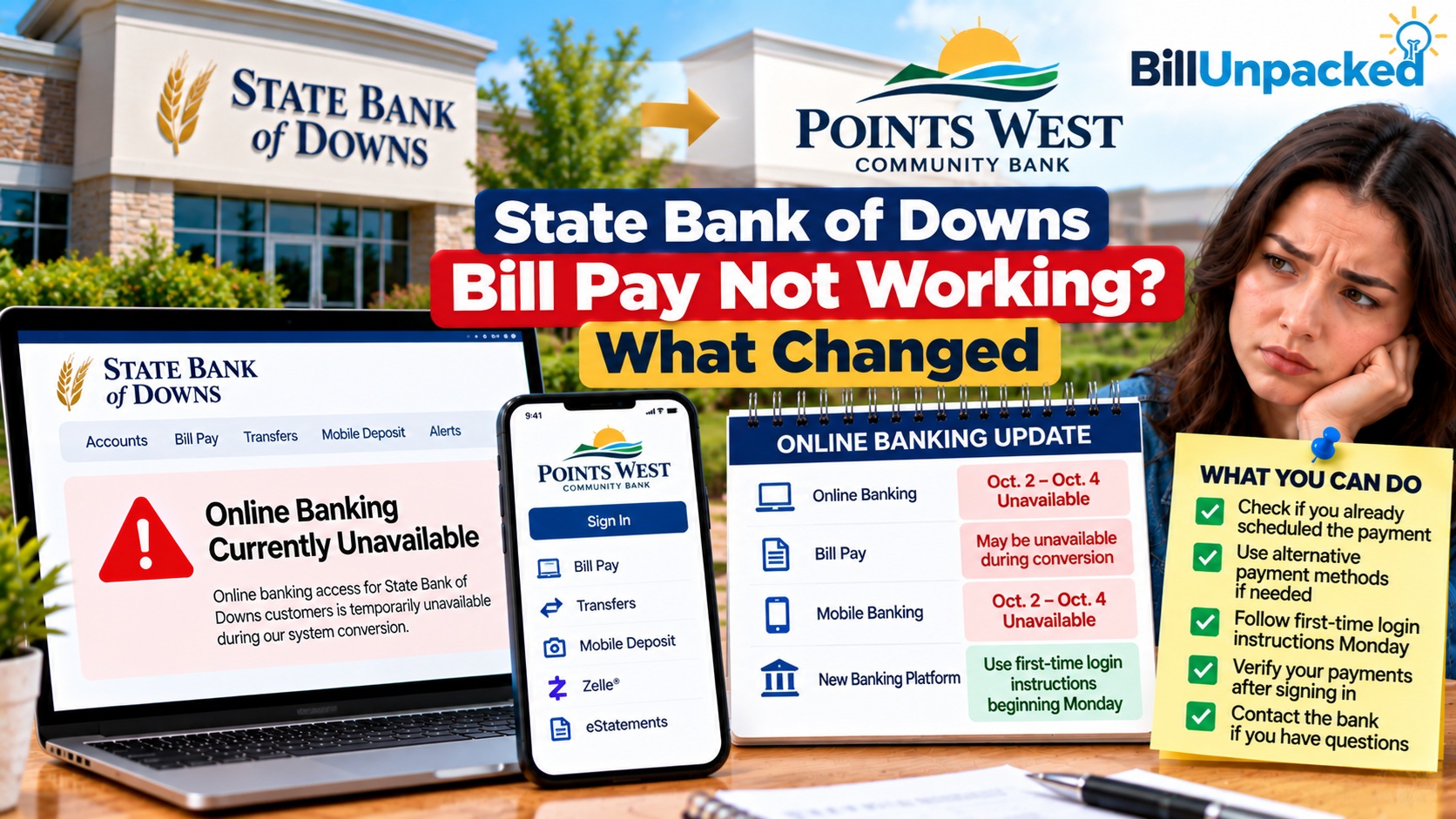
Is State Bank of Downs Bill Pay not working, or are your previously scheduled payments missing after the October 2026 banking transition? The move to Points West Community Bank changed how customers access online banking and manage their bills.
Quick Answer: State Bank of Downs Bill Pay Not Working?
Updated October 11, 2026: State Bank of Downs and Berkley Bank customers were scheduled to move to Points West Community Bank’s online banking platform on October 5, following an October 2–4 interruption.
Most important: Points West says previous online Bill Pay payments do not convert into its new system. Customers need to reestablish their bill payments after accessing the new platform.
If you cannot sign in, follow the official first-time login instructions. If a bill is missing, verify the old payment’s status and review your new Bill Pay setup. A new widespread outage has not been independently confirmed.
What Happened to State Bank of Downs Bill Pay?
State Bank of Downs, based in Downs, Kansas, joined Points West Community Bank as part of a banking merger announced in April 2026.
The banks scheduled a digital banking conversion for October 5, 2026. Customers were instructed to use Points West’s banking platform rather than rely on the previous State Bank of Downs login process.
Points West’s official transition information confirms that State Bank of Downs will retain its name and operate as a division of Points West Community Bank.
October 2026 Banking Transition Timeline
| Date | Event | What customers should know |
|---|---|---|
| April 2026 | Acquisition agreement announced | Points West announced plans to acquire State Bank of Downs and Berkley Bank. |
| October 2–4 | Scheduled online banking interruption | Old online banking access was interrupted during conversion. |
| October 5 | New banking access scheduled | Customers were directed to Points West’s digital banking system. |
| October 11 | Post-conversion review | Customers should verify login access and reestablish required Bill Pay arrangements. |
These are historical conversion dates. They do not indicate that the bank is experiencing a new outage today.
Do Existing Bill Pay Payments Transfer to Points West?
Points West explicitly states that previous online bill payments do not convert and must be reestablished in its new online banking system.
Do not assume an old recurring bill payment will continue automatically after conversion.
This is especially important for customers who previously scheduled monthly utility, credit card, insurance or other bill payments through State Bank of Downs.
What Should You Check?
- Previously scheduled one-time payments
- Monthly recurring Bill Pay arrangements
- Saved billers and payee details
- Upcoming payment due dates
- Payment amounts and funding accounts
- Any payments already sent before conversion
Before creating a new payment, ask the bank to clarify whether the original instruction was sent, canceled or remains pending. The requirement to reestablish payments does not, by itself, establish the fate of every pre-conversion transaction.
How to Access Your New Online Banking
Points West provides first-time login instructions for former State Bank of Downs customers.
- Open the official Points West Community Bank website.
- Select the online banking login option.
- Follow the bank’s first-time login process for converted customers.
- Complete the required identity verification and password setup.
- Review the online banking disclosures.
- Once signed in, locate Bill Pay and review your payment arrangements.
For security, obtain the exact initial credential instructions directly from the official bank page rather than from an unofficial email or search result.
Official Transition InstructionsHow to Reestablish Your Bill Payments
Once you have successfully accessed the Points West digital banking platform, rebuild the bill payments you still need.
Step 1: Make a List of Existing Bills
Review your recent statements or records and identify every company you previously paid through State Bank of Downs Bill Pay.
Step 2: Verify Each Biller
Check the company name, account number, billing address and current amount due using the biller’s official statement or website.
Step 3: Check for Earlier Payments
Before creating a new instruction, determine whether the previous bank already sent a payment. If its status is unclear, contact Points West.
Step 4: Schedule the New Payment
Use the new Bill Pay platform to create the payment. Review the available delivery date, not just the date on which you submit the instruction.
Step 5: Recreate Recurring Payments
For bills paid every month, establish the appropriate recurring schedule if the new system supports the arrangement you need.
Step 6: Save Confirmation Details
Keep the new payment confirmation and verify that the biller receives and posts the payment.
Payment Troubleshooting Table
| Problem | Possible explanation | Recommended action |
|---|---|---|
| Old login no longer works | Banking platform conversion | Use Points West’s official login instructions. |
| Recurring payment missing | Old Bill Pay instructions do not convert | Verify the original status and reestablish the payment. |
| Saved payee missing | Payee setup may need to be recreated | Confirm details from the biller’s statement. |
| Payment not received | Transaction status is unknown | Ask the bank to trace the payment and confirm with the biller. |
| Bill due immediately | New payment may not arrive in time | Contact the biller about a verified alternative payment method. |
| New platform unavailable | Account-specific access problem or possible service issue | Contact Points West support for diagnosis. |
Example: A Recurring Electricity Bill
Suppose a customer previously scheduled a $160 electricity payment for the 15th of every month through State Bank of Downs.
After the conversion, that customer should not assume the old recurring Bill Pay instruction automatically transferred to Points West.
The customer should first confirm whether any payment was already sent, then create a new arrangement through Points West if necessary.
The $160 amount and billing date are hypothetical. This example demonstrates the practical consequences of the bank’s confirmed Bill Pay conversion policy and does not describe an actual customer incident.
What About Direct Deposits and Automatic Payments?
Not every automatic transaction is an online Bill Pay instruction.
A direct deposit, an ACH debit authorized with a utility company, and a recurring payment scheduled inside online Bill Pay are different arrangements.
Points West’s transition information specifically identifies previous online Bill Pay payments as needing to be reestablished. Customers should not assume the same instruction applies to every other type of recurring transaction.
If you are unsure how a payment is initiated, check your bank records or contact the biller and bank before making changes.
What If Your Bill Is Due Today?
If a payment is due soon and you have not confirmed its status, contact the biller before the deadline.
Depending on the company, alternative payment methods may include:
- Its official payment website
- Its official mobile app
- A verified telephone payment service
- In-person payment at an authorized location
Do not submit another payment merely because the original instruction is missing from the new banking interface. First check with the bank and biller to determine whether money was already sent.
State Bank of Downs and Points West Support
For account access, missing Bill Pay transactions or conversion-related questions, contact the bank directly.
Points West Community Bank
Digital banking support: 833-226-7474
State Bank of Downs
900 Morgan Avenue, Downs, KS 67437
Telephone: 785-454-3323
Points West Transition Help Contact Points WestHow to Avoid Banking Conversion Scams
Banking mergers create opportunities for criminals to impersonate bank employees and send fake login instructions.
- Visit the bank’s official website directly.
- Never share your online banking password or one-time security code.
- Do not install remote-access software at the request of an unexpected caller.
- Verify suspicious messages by calling the published bank number.
- Do not assume an old bookmarked login page is the correct new banking destination.
Quick Answers
| Question | Answer |
|---|---|
| Why is State Bank of Downs Bill Pay not working? | The October banking conversion changed access and requires old online Bill Pay arrangements to be reestablished. |
| Is Bill Pay currently down? | A new widespread outage has not been independently verified. |
| When did the new platform become available? | Points West scheduled access from October 5, 2026. |
| Will old recurring Bill Pay payments transfer? | No. Points West says previous online Bill Pay payments do not convert. |
| Can I still use the State Bank of Downs name? | The bank says State Bank of Downs will continue as a division of Points West. |
| Who should I contact? | Points West at 833-226-7474 or State Bank of Downs at 785-454-3323. |
Related BillUnpacked Payment Guides
- Community State Bank Bill Pay Troubleshooting
- Pacific West Bank Bill Pay Changes
- FM BANK Bill Pay Conversion
- LES Federal Credit Union Bill Pay Guide
Official Sources
- Points West — State Bank of Downs Transition and First-Time Login
- Points West — Online Bill Pay and Digital Banking
- State Bank of Downs — Online Banking Features
- Points West — Official Customer Support
Bottom Line
State Bank of Downs customers moved to Points West Community Bank’s digital banking environment in October 2026.
The most important Bill Pay change is that previous online bill payments do not convert automatically. Customers must reestablish the necessary payments and verify any previously scheduled transactions before paying again.
If you cannot access the new platform or confirm a payment, contact Points West or your local State Bank of Downs branch.
Editorial review: October 11, 2026. BillUnpacked is an independent information website and is not affiliated with State Bank of Downs or Points West Community Bank. Conversion details are based on published bank announcements. Live account and payment status have not been independently tested.